Product
 Brand
Brand Articles
 Tools
Tools
Beginner’s Handbook for Choosing Circular Connectors
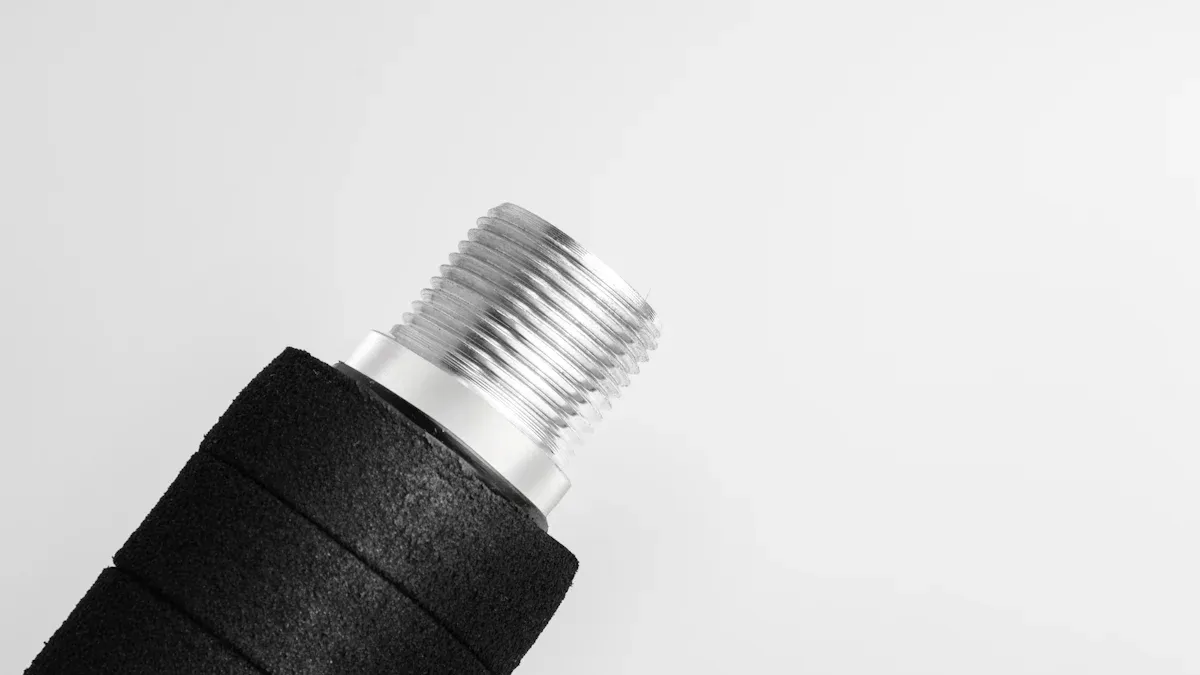
To select the ideal circular connector, you need to match your project’s electrical, mechanical, and environmental needs with connector specifications. Circular connectors are electrical connectors with a round shape that help you create a reliable connection between wires or cables. Making the right choice keeps your electrical connectors safe and dependable. For example, some electrical connectors must handle up to 20 amps, resist radiation up to 150 Mrad, or survive over 10,000 connection cycles. The table below shows how different requirements affect electrical connectors:
| Requirement | Example Value |
|---|---|
| Current Capacity | 2 contacts at 12A (30.4°C rise) |
| Mating Cycles | Over 10,000 cycles |
| Temperature | Housing up to 150°C |
If you are new to this, use this beginner's guide to gain confidence in choosing circular connectors that ensure every connection works as it should.
Beginner’s Guide: Choosing the Right Connector
Key Steps for Beginners
Choosing the right connector for your project can feel overwhelming at first. You can make the process easier by following a clear, step-by-step approach. This beginner's guide will help you focus on what matters most for your selection.
Understand Your Project Needs
Start by listing the requirements for your project. Think about the type of signal you need to transmit, the amount of current and voltage, and the environment where you will use the connector. Knowing these details helps you avoid mistakes later.Learn the Basic Terms
You will see many technical words when looking at circular connectors. Get familiar with terms like contact type, shell design, coupling mechanism, polarization, and IP rating. These words describe how the connector works and what it can handle.Match Connector Specifications to Your Needs
Look at the specifications for each circular connector. Check if the connector can handle your voltage and current. Make sure the size and shape fit your equipment. Pay attention to the operating temperature and protection against dust or water.Check Compatibility
Make sure the connector matches your cables and devices. The right fit ensures a safe and reliable connection. If you use the wrong type, you may face problems with alignment or even damage your equipment.Review Environmental Protection
Some projects need connectors that resist moisture, dust, or vibration. Look for circular connectors with the right IP rating for your environment. This step keeps your connections safe and long-lasting.Plan for Future Needs
Think about how often you will connect and disconnect the parts. If you need to do this many times, choose a connector with a high mating cycle rating. Planning ahead saves time and money.
Tip: Write down your answers to these steps before you start shopping. This list will guide your selection and help you stay focused.
Common Mistakes to Avoid
Many beginners make similar mistakes when choosing the right connector. You can avoid these problems by learning what to watch out for during your selection process.
Not understanding key technical terms and connector specifications.
Ignoring important factors like contact type, shell design, coupling mechanism, polarization, size, voltage rating, current rating, IP rating, and operating temperature.
Overlooking compatibility between the connector and your cables or devices.
Forgetting to check for environmental protection, such as resistance to dust, water, or vibration.
Failing to consider how often you will connect and disconnect the circular connector.
Skipping the step of matching connector specifications to your project needs.
Beginners often struggle with these challenges. You can make better choices by learning about each factor and using a beginner's guide for your selection. This approach helps you avoid costly errors and ensures your circular connectors work as expected.
By following these steps and avoiding common mistakes, you will feel more confident in your selection. Choosing the right connector becomes much easier when you understand your project needs and pay attention to the details.
Project Requirements for Circular Connectors
Before you choose circular connectors for your project, you need to ask the right questions. These questions help you match the connector to your application and make sure your electrical connection stays safe and reliable. Every application has different needs, so you must look at each factor closely.
Six Key Questions to Ask
You can use the table below to guide your selection process. Each question helps you focus on a specific requirement for your application.
| Key Question | Measurable Criteria / Parameters |
|---|---|
| 1. Connector Size/Type | Standard sizes (M5, M8, M12, M23), pin count ranges, physical dimensions, space constraints |
| 2. Coding Type | Coding standards (A, B, C, D, X, Y), voltage ratings (30V to 250V), current ratings (0.5A to 10A), network type |
| 3. Installation/Mounting | Mounting type (panel or aerial), mounting method (PCB, soldering, pre-soldered cables), lock position (front/back) |
| 4. Shielding | Shielded vs unshielded options based on EMI presence, signal sensitivity, cable length |
| 5. Number of Pins | Pin count categories (low: 2-5, medium: 6-12, high: >12), related current capacity (2A-10A), signal complexity |
| 6. Gender and Orientation | Male/female connector choice, straight or angled connector orientation |
When you answer these questions, you can narrow down your options and find the best circular connector for your application.
Electrical Factors
Electrical factors play a big role in the selection of circular connectors. You must know the voltage and current your application needs. If you use the wrong connector, you risk overheating, short circuits, or even fire. For example, some connectors handle up to 250V and 10A, while others work best for low-voltage signals.
You also need to think about the type of signal and power transmission. Some applications need connectors for data, while others need them for power. In industrial automation, you often need both signal and power in one connector. The number of pins affects how many signals or power lines you can connect.
Electrical contact resistance is another important factor. Studies show that contact resistance can predict how long a connector will last. If the resistance gets too high, the connection may fail. Engineers use special tests to measure this resistance and estimate how long the connector will work under stress. These tests help you choose a connector that will last in your application.
You should also check if your application needs shielding. Shielded connectors protect against electrical noise, which is important for communication and control applications. If your application uses long cables or works near strong electrical equipment, shielding becomes even more important.
Tip: Always check the datasheet for voltage, current, and signal type before making your selection. This step helps you avoid costly mistakes and keeps your electrical connection safe.
Mechanical Factors
Mechanical factors affect how well your circular connector fits and works in your application. You need to look at the size and type of connector. Some applications have space limits, so you must pick a connector that fits your equipment.
Durability is another key factor. Industrial applications often need connectors that can handle many connection and disconnection cycles. Some connectors last for over 10,000 cycles. If your application needs frequent changes, choose a connector with a high mating cycle rating.
Mounting type also matters. You can choose from panel mount, PCB mount, or cable mount connectors. Each type works best for different applications. For example, panel mount connectors are common in control panels, while cable mount types work well for field devices.
You should also think about the locking mechanism. Some connectors use threads, others use bayonet or push-pull systems. The right locking type keeps your connection secure, even in environments with vibration or movement.
The number of pins and the orientation (straight or angled) affect how you route cables and connect devices. Make sure the connector matches your application’s needs for pin count and layout.
Environmental Factors
Environmental factors decide how well your circular connectors perform in tough conditions. Many industrial applications face heat, cold, moisture, dust, and vibration. You must pick connectors that can handle these challenges.
Manufacturers test connectors using strict standards like MIL-STD-810 and IEC 60068. These tests check how connectors survive temperature swings, humidity, salt spray, and even UV light. For example, thermal cycling tests show if a connector can handle rapid temperature changes. Salt spray tests check for corrosion resistance, which is important in coastal or chemical environments.
Here are some common environmental tests for circular connectors:
Temperature and humidity tests check durability in hot, cold, and wet conditions.
Thermal shock tests expose connectors to quick temperature changes.
Salt spray and fog tests measure resistance to corrosion.
UV radiation tests show how sunlight affects materials.
Fluid contamination tests check if connectors resist oil, chemicals, or water.
Vibration and shock tests make sure connectors stay connected during movement.
Altitude tests simulate low-pressure conditions for aerospace or high-altitude industrial applications.
Climate chambers help test these factors by controlling temperature, humidity, and other variables. These tests prove that connectors can survive in real-world industrial environments.
Note: Always match the connector’s environmental ratings to your application. If your application faces moisture, dust, or vibration, choose connectors with high IP ratings and proven durability.
By asking the right questions and checking each factor, you can make a smart selection for your application. This approach helps you build a reliable connection that lasts, even in the toughest industrial environments.
Circular Connectors: Types and Sizes
Common Series and Sizes
You will find many types of connectors when you look for circular connectors. Each type fits different needs. Some of the most common series include M12, M23, MIL-DTL-5015, Circular Plastic Connectors (CPC), and 7/8” connectors. These types come in different sizes and pin counts. The table below shows how each type compares:
| Connector Type | Size (Diameter) | Pin Count Range | IP Rating | Typical Applications |
|---|---|---|---|---|
| M12 | 12 mm | 3 - 12 | IP67 or higher | Sensors, actuators, industrial Ethernet, robotics |
| M23 | 23 mm | 6 - 19 | IP67 or higher | Power, servo motors, heavy machinery |
| MIL-DTL-5015 | Various sizes | Wide range | IP67 or higher | Military, aerospace, heavy equipment |
| Circular Plastic Connectors (CPC) | Various sizes | 4 - 37 | Usually IP67 | Medical, telecom, industrial control |
| 7/8” Connectors | 7/8 inch (~22.2 mm) | 3 - 5 | Typically IP67 | Field devices, power supply, process control |
You can choose from many types of connectors based on your project. For example, M12 connectors have a 12 mm diameter and offer several coding types. Each coding type supports different signals and applications. A-coded connectors work for sensors and DC power, while D-coded types support Ethernet. X-coded types handle high-speed data up to 10 Gbit/s.
Tip: Always check the size and pin count before you pick a connector. This step helps you avoid fitting problems later.
Contact Arrangements
Contact arrangements describe how the pins sit inside the connector. You will see single-row, double-row, and mixed-row types. Each arrangement changes the number of contacts and how they line up. This affects how much current the connector can carry and how well it resists electrical problems.
Some circular connectors use a scoop-proof design. This design hides the contacts inside the shell. It protects the pins from damage and stops short circuits. You get better durability and easier use with this feature.
The coupling mechanism also matters. You can pick from bayonet, threaded, or breech-lock types. Each type gives you a different level of security and vibration resistance. For example, bayonet types lock quickly, while threaded types hold tight in harsh settings.
Manufacturers test these types of connectors for strength and reliability. They use gold or silver-plated contacts to keep resistance low and conductivity high. Many types of connectors work in extreme temperatures, from -65°C to +200°C, and resist shock and vibration.
Note: Choose the right contact arrangement and coupling type for your environment. This choice helps your circular connectors last longer and work better.
Coupling Styles and Mounting
Threaded, Bayonet, Push-Pull
When you choose a circular connector, you need to pick the right coupling mechanism. This part connects and locks the two halves of the connector together. Each coupling mechanism has its own strengths and best uses.
Here is a table that compares the main types:
| Coupling Style | Mating Mechanism | Mating Force | Mating Cycles Suitability | Security Features | Environmental Suitability | Ergonomics & Speed |
|---|---|---|---|---|---|---|
| Threaded | Screw threads | High | Low | Lockwire holes, ratcheting | High vibration, shock | Slower, more secure |
| Bayonet | Pins and ramps | Moderate | High | Visual, audible, tactile confirmation | Shock, vibration, blind mating | Fast, easy to install/uninstall |
| Push-Pull | Axial push | Moderate | High | Self-latching mechanism | Critical reliability, space-constrained | Very fast, minimal force |
You use a threaded coupling mechanism when you need a strong, secure connection. This style works well in places with a lot of vibration, like aerospace or heavy machinery. You twist the connector several times to lock it. This takes longer, but it gives you a very safe connection.
A bayonet coupling mechanism lets you connect and disconnect quickly. You push and twist the connector about a third of a turn. This style is common in industrial and automotive settings. It gives you a good balance between speed and security.
Push-pull connectors use a coupling mechanism that locks with a simple push. You can disconnect by pulling back a sleeve. This style is great when you need to connect and disconnect often, such as in medical devices or electronics. It is fast and easy to use, but it may not hold up as well in high-vibration areas.
Tip: Always match the coupling mechanism to your environment and how often you need to connect or disconnect.
Mounting Options
You also need to think about how you will mount your circular connector. The mounting option affects how you install the connector on your device or panel.
Panel Mount: You attach the connector to a fixed panel or enclosure. This option gives you a stable and secure fit. You often see this in control panels or equipment housings.
Cable Mount: You attach the connector directly to a cable. This option works well for field devices or when you need flexibility in your setup.
PCB Mount: You solder the connector onto a printed circuit board. This option is common in electronics and compact devices.
Each mounting option works best for certain situations. Panel mount connectors give you strength and stability. Cable mount connectors offer flexibility. PCB mount connectors save space and work well in small devices.
Note: Choose the mounting option that fits your equipment and makes installation easy.
Pin Count and Coding
Pin Number Selection
When you choose electrical connectors, you need to decide how many pins your connection needs. The number of pins affects how much data or power you can send through the connector. You will see that electrical connectors come in many types, with pin counts ranging from 2 to over 17. For example, M12 connectors offer 3, 4, 5, 8, 12, or even 17 pins. You use 3 or 4 pins for simple sensors or power. If you need to connect Ethernet or Profinet, you often pick 4 or 8 pins. For more complex systems, like CAN bus or DeviceNet, you may need 5 pins. Some electrical connectors with 12 pins handle advanced signal transmission.
Here is a table to help you match pin count to your application:
| Pin Count | Common Use Cases | Max Current (A) | Working Voltage (V) |
|---|---|---|---|
| 2-4 | Sensors, basic power | Up to 10 | Up to 330 |
| 5-8 | Industrial data, CAN bus, USB | 2-4 | 60-200 |
| 12+ | Complex signals, high data | 1.5-2 | 30-60 |
As you add more pins, the size of each pin gets smaller. This means the connector can carry less current and voltage. You should always check the electrical ratings for your chosen pin count. More pins also mean higher insertion force, which can make the connection harder to use. Some electrical connectors use special designs, like Zero Insertion Force, to make high pin-count connections easier.
Tip: Choose the lowest number of pins that meets your needs. This keeps your connection simple and reliable.
Keying and Orientation
Keying and orientation help you make sure your electrical connectors fit together the right way. Keying uses special shapes or codes to stop you from plugging connectors in the wrong direction. For example, A, B, C, D, and P coding types each have different shapes and pin layouts. This design keeps your connection safe and prevents damage.
You will find that keying also improves installation accuracy. Research shows that the way you rotate or align the connector affects how well it stays in place. If you use the wrong angle or force, you can lose connection strength. Keeping the connector aligned within the recommended angle helps you get a strong and stable connection.
Some electrical connectors use color codes or mechanical keys to guide you. These features make it easy to match the right types and avoid mistakes. Always check the orientation marks before you make a connection. This step helps you avoid costly errors and keeps your electrical system safe.
Note: Proper keying and orientation protect your equipment and make every connection more reliable.
Sealing and Protection
IP Ratings
When you choose a circular connector, you need to check its IP rating. The IP rating tells you how well the connector keeps out dust and water. You see two numbers in an IP rating. The first number shows how much solid material, like dust, the connector blocks. The second number shows how well it keeps out water. For example, IP67 means the connector is dust-tight and can handle being under water for a short time.
You want a high IP rating if your project faces rain, dust, or splashes. Many shielded connectors offer better protection against these elements. Unshielded connectors may work in clean, dry places, but they do not give the same level of protection. If you use shielded connectors, you also get extra defense against electrical noise. This helps your system stay safe and reliable.
Tip: Always match the IP rating to your environment. High IP ratings give you more protection in harsh conditions.
Sealing Technologies
Sealing technology keeps your connector safe from leaks and damage. You find different seal types in circular connectors. Each type works best for certain jobs. Some connectors use lip seals, while others use glide ring seals. Shielded connectors often use advanced seals to block both moisture and electrical interference. Unshielded connectors may use simpler seals, which work well in less demanding settings.
Here is a table that compares common sealing technologies:
| Seal Type | Material/Design Features | Application Suitability | Friction Level | Wear and Damage Observations | Leakage Performance | Intermediate Pressure Behavior |
|---|---|---|---|---|---|---|
| Lip Seal #1 | Round sealing edge, no back-up ring | Not recommended | Not improved vs. no buffer seal | Damage to seal profile; no major buffer seal damage | No improvement | N/A |
| Lip Seal #2 | Polyurethane, thermoplastic back-up ring, friction optimized | High pressure, heavy duty | Slight increase post-test | Slight extrusion tail on back-up ring; low wear | Low to no leaks | Low intermediate pressure (<50 bar at 250 bar system pressure) |
| Lip Seal #3 | Polyurethane, thermoplastic back-up ring, high sealability | Medium to heavy duty | Decreased friction post-test | Higher wear on back-up ring; discoloration of primary rod seal lip | Low to no leaks | No intermediate pressure at all tested pressures |
| Glide Ring Seal #4 | PTFE 40% bronze, NBR O-ring energizer | Light to medium duty | Very low friction | Extrusion in both directions; primary rod seal extrusion | More leakage problems | High intermediate pressure buildup (multiple system pressure) |
| Glide Ring Seal #5 | Hard grade polyurethane, NBR O-ring energizer | Light to medium duty | Slightly higher friction than #4 but acceptable | Increased wear resistance; less extrusion than #4 | Fewer leaks than Seal #4 | No to low intermediate pressure buildup |
You see that shielded connectors with advanced lip seals give you the best protection in tough jobs. Lip Seal #2 and #3 show low leaks and good wear resistance. Unshielded connectors with glide ring seals may have more leakage, especially in high-pressure systems. You should always pick the sealing technology that matches your needs for protection and durability.
Note: Good sealing keeps your connections safe from water, dust, and pressure changes. Shielded connectors with strong seals work best in harsh environments.
Compatibility and Mating
Cable Types
You need to match the right cable type to your circular connector for every application. Each cable type supports different transmission needs and affects how well your system works. You will see many options, such as twisted pair, coaxial, and fiber optic cables. Each one fits a specific application and transmission requirement.
Twisted pair cables work well in many industrial application setups. Their design reduces signal loss and interference, which helps keep your transmission clear.
Coaxial cables fit application needs that require stable, high-frequency transmission. You often use them with BNC connectors for video or radio application.
Fiber optic cables support application scenarios that need high-speed and long-distance transmission. These cables give you better bandwidth and protect against electromagnetic interference, which is important for sensitive application environments.
Ethernet cables come in different categories. Each category supports a certain transmission speed and frequency. You must pick the right category for your application to get the best performance.
You should always check the cable’s data rate, length, and shielding. These factors affect how well your application runs and how reliable your transmission stays.
Tip: Choose shielded cables and connectors for application areas with lots of electrical noise. This step helps your transmission stay strong and your application stay reliable.
Mating with Counterparts
You must make sure your connector mates correctly with its counterpart for every application. The right match keeps your application safe and your transmission stable. Each connector type, such as RJ45, LC, SC, or BNC, fits a specific cable and application.
| Connector Type | Cable Type | Best Application Use | Transmission Strengths |
|---|---|---|---|
| RJ45 | Twisted Pair | Ethernet, industrial application | Reliable data transmission, easy mating |
| LC/SC/ST | Fiber Optic | High-speed, long-distance application | High bandwidth, low signal loss |
| BNC | Coaxial | Video, radio, test application | Secure locking, stable transmission |
You need to check the connector’s physical design. Some connectors use bayonet locks, while others use push-pull or threaded styles. The right design helps your application resist vibration and keeps your transmission secure. You should also look at insertion loss and crosstalk. These factors affect how well your application performs and how clear your transmission stays.
Cable length and connector quality also matter. Long cables can weaken your transmission, so you must choose the right combination for your application. Always match the connector and cable to your application’s environment. For example, use shielded connectors in noisy application areas or fiber optic connectors for high-speed application needs.
Note: The best application results come from matching cable, connector, and environment. This approach keeps your transmission strong and your application reliable.
Standards and Compliance
Industry Standards
When you select circular connectors for any application, you need to check if they meet important industry standards. These standards help you compare products and make sure your choice will work in your industrial environment. Many standards focus on safety, performance, and reliability. You will see that regulations such as UL, IEC, and ATEX shape how manufacturers design connectors for industrial use. These rules keep your application safe and help your equipment last longer.
You can find several industry reports that highlight the impact of these standards. They show that strict rules and growing awareness of safety drive the market for connectors in industrial settings. As more companies use automation and Industry 4.0, the need for compliance grows. Major manufacturers invest in research to meet these requirements, which helps you get reliable products for your application.
Here is a table showing some key standards and their performance metrics for industrial connectors:
| MIL-PRF Standard | Connector Type & Application | Key Performance Metrics & Requirements |
|---|---|---|
| MIL-PRF-29504 | Fiber-optic termini for removable crimp and epoxy connectors | Vibration: 10 g's; Shock: >1000 g's; Temperature: -40°C to +70°C |
| MIL-PRF-28876 | Circular fiber-optic connectors for DoD applications | Vibration: 10 g's; Shock: >1000 g's; Temperature: -40°C to +70°C |
| MIL-PRF-39012 | RF connectors for flexible RF cables and coaxial lines | General requirements and tests for RF connectors |
| MIL-PRF-49142 | RF, triaxial connectors for biaxial cable | Enhanced shielding for RF applications |
| MIL-PRF-64266 | Genderless fiber optic connectors for aerospace and maritime | Orientation assurance; engagement protection; multiple configurations |
Note: Always check if your connector meets the right standard for your application. This step helps you avoid problems in demanding industrial environments.
Certifications
Certifications prove that a connector meets strict safety and quality rules. When you see a UL mark on a connector, you know it has passed tough tests for fire, shock, and other risks. UL certifies connectors to standards like UL 1977, UL 486, and IEC 60947. These certifications help you trust that your connector will work safely in your application.
Some companies, like Reichenbach International Inc., support their reliability claims with ISO 9001:2015 certification and RoHS qualification. They also follow REACH and Conflict Minerals policies. Each connector comes with a Certificate of Conformance, so you know it meets all rules for your industrial application.
Here is a table showing common certification standards for different connector types:
| Connector Type | Certification Standards (U.S., Canada, Mexico, International) |
|---|---|
| Wire Connectors | UL 486A-486B, UL 486C, UL 486D, UL 486E, UL 486F, UL 486G; CSA C22.2 No. 65, 188, 198.2, 291, 355; NMX-J-543-ANCE, -548-ANCE, -519-ANCE, -745-ANCE |
| Component Connectors | UL 1977 (U.S.), CSA C22.2 No. 182.3-16 (Canada), IEC 61984:2008 (EU, China, Brazil, India) |
| Electrical Quick-Connect Terminals | UL 310 (U.S.), CSA C22.2 No. 153-14 (Canada) |
| Terminal Blocks | UL 1059 (U.S.), CSA C22.2 No. 158 (Canada), ANSI/UL 60947-7-1 to -4, EN 60947-1 to -4 |
| Cable Assemblies | UL 1682, UL 2238, UL 2237 (U.S.); CSA C22.2 No. 182.1, 182.3 (Canada); IEC 60309 (informative) |
Certifications like these help you meet legal and safety needs in every application. They also make it easier to use connectors in global industrial markets.
Tip: Always ask for certification documents when you buy connectors for industrial applications. This step protects your project and keeps your application running smoothly.
Price and Availability
Balancing Cost and Performance
When you choose circular connectors, you need to think about both price and performance. Not all connectors cost the same. Some offer better features, but you may pay more. You want to find the right balance for your project.
The price of a connector often depends on how much current it can handle. You can see this in the table below:
| Current Capacity Segment | Price Characteristics | Availability Factors | Performance Attributes |
|---|---|---|---|
| Less than 1A | Low cost, compact size | New entrants focus here | Limited power handling, good for low-power applications |
| Between 1A and 100A | Higher cost, more complex | Established brands dominate | Balanced performance and durability, used in industry |
| Above 100A | Highest price, complex setup | Few suppliers, less available | Very robust, best for heavy-duty and high-power situations |
You will notice that connectors for low-power jobs cost less and are easy to find. If you need a connector for heavy-duty work, you will pay more and may have fewer choices. Regional factors, new technology, and rules also change prices and availability.
You should also look at the total cost over time. Circular connectors often cost 30% to 50% more at first than rectangular connectors. However, they last longer and need less maintenance. This means you save money in the long run, especially in tough environments.
| Factor | Circular Connectors | Rectangular Connectors |
|---|---|---|
| Initial Cost | 30–50% higher | Lower |
| Lifecycle Cost | Lower, less maintenance | Higher, more replacements |
| Environmental Suitability | Better sealing and vibration resistance | May need extra protection |
| Installation | Needs tools | Often tool-free |
Tip: Start by listing your project’s needs. Choose a connector that meets those needs without overpaying for features you do not use. This approach helps you get the best value and keeps your system reliable.
You can make a smart choice by comparing both the upfront price and the long-term benefits. This way, you get a connector that fits your budget and keeps your project running smoothly.
You now know how to make the best selection for electrical connectors in any application. Start by matching connector specs to your application. Always check if the electrical connectors fit your connection needs. Look at the number of connections, the type of application, and the environment. Good selection helps you build a reliable connection. If you feel unsure, read datasheets or ask an expert. You can make every connection safe and strong with the right electrical connectors. Your application will work better when you follow these steps for selection.
Remember, every selection shapes the quality of your connection. You can master electrical connectors with practice.
FAQ
What is the difference between shielded and unshielded circular connectors?
Shielded connectors block electrical noise. You use them in places with lots of interference. Unshielded connectors work best in quiet environments. Shielding helps your signals stay clear and strong.
How do I know which pin count to choose?
Count the number of signals or power lines you need. Pick a connector with enough pins for each wire. Always check your device’s manual for the correct pin count.
Can I use circular connectors outdoors?
Yes, you can use them outdoors if they have a high IP rating. Look for IP67 or higher. These connectors keep out dust and water. Always check the datasheet for outdoor use.
Why do some connectors have different coding types?
Coding types prevent you from plugging connectors in the wrong way. Each code fits only one type of signal or device. This keeps your equipment safe and easy to use.
How do I make sure my connector fits my cable?
Check the cable diameter and type in the connector’s datasheet. Match these numbers before you buy. If you use the wrong size, the connection may fail.
 UTMEL
UTMEL
We are the professional distributor of electronic components, providing a large variety of products to save you a lot of time, effort, and cost with our efficient self-customized service. careful order preparation fast delivery service
 The Introduction to USB Type-C Pin Signal and PCB LayoutUTMEL03 December 202126271
Hello everyone. Welcome to the new post today. USB Type-C is a smaller-volume USB interface standard than Type-A and Type-B. It can be used on a PC (master device) as well as external devices (slave devices, such as mobile phones).
Read More Everything You Need to Know about ConnectorsUTMEL07 September 20218157
Electrical connectors, as key components for current or signal connections, are also an important part of the industrial system. Connectors can be as huge as airplanes and rockets or as small as mobile phones and televisions, forming bridges between circuits or other components and serving as electric current or signal links.
Read More Network Interface Card: Types, Functions and Buying GuideUTMEL17 August 202110473
Network Interface Card (NIC, also known as a network interface controller) is one of the most basic components in the local area network. It is the hardware device connecting the computer and the network. Whether it is a twisted pair connection, a coaxial cable connection, or an optical fiber connection, data communication must be realized with the help of a network interface card.
Read More What is Universal Serial Bus (USB)?UTMEL19 January 202612444
Universal Serial Bus (USB) is a serial bus standard and a technical specification for input and output interfaces. It is widely used in information communication devices. The latest generation is USB4, and its transmission speed is 40Gbit/s, the three-stage voltage is 5V/12V/20V, the maximum power supply is 100W.
Read More Classification and Selection of Industrial ConnectorsUTMEL11 February 20225812
This article mainly introduces a very important component-connector in the modern industrial system, including its definition, classification, and selection.
Read More
Subscribe to Utmel !
![GFX-A3T5-71FST1]() GFX-A3T5-71FST1
GFX-A3T5-71FST1Advantech Corp
![ASB200-908]() ASB200-908
ASB200-908iBASE Technology
![MI811F-420]() MI811F-420
MI811F-420iBASE Technology
![MI992EF-7100]() MI992EF-7100
MI992EF-7100iBASE Technology
![MI980VF-4400E]() MI980VF-4400E
MI980VF-4400EiBASE Technology
![IP411]() IP411
IP411iBASE Technology
![PCA-AUDIO-HDAIE]() PCA-AUDIO-HDAIE
PCA-AUDIO-HDAIEAdvantech Corp
![MI980VF-4700EQ]() MI980VF-4700EQ
MI980VF-4700EQiBASE Technology
![GFX-A5T7-01FM1]() GFX-A5T7-01FM1
GFX-A5T7-01FM1Advantech Corp
![GFX-A5T7-01FS1]() GFX-A5T7-01FS1
GFX-A5T7-01FS1Advantech Corp