Product
 Brand
Brand Articles
 Tools
Tools
Verifying Package Pinout Compatibility: The Engineer's Guide to Component Replacement
A single mismatched component footprint can lead to tombstoning, solder bridging, or a complete board re-spin, costing engineering teams thousands of dollars and weeks of delay. Verifying package pinout compatibility requires more than matching pin counts on a schematic. It demands a strict audit of mechanical dimensions, IPC land pattern standards, thermal pad sizes, and datasheet tolerances to ensure a true Form, Fit, and Function (FFF) replacement. This guide breaks down the exact definitions of compatibility, how to audit mechanical dimensions against IPC standards, the hidden dangers of bottom-terminated components, and a step-by-step verification framework.
Defining Compatibility: Drop-In vs. Pin-to-Pin
Compatibility terms are frequently misused in component sourcing, leading to critical failures during PCB assembly. Understanding the strict industry definitions prevents procurement errors.
The Strict Definition of a Drop-In Replacement
A true drop-in replacement satisfies 100% Form, Fit, and Function (FFF) compatibility, requiring zero system or PCB modifications. The component must match the physical footprint exactly, operate within the identical voltage and thermal parameters, and execute the exact same logic or signal processing as the original part. For high-volume manufacturing where automated pick-and-place machines are programmed for specific tolerances, a drop-in replacement is the only acceptable substitute to avoid halting the production line.
The Limits of Pin-to-Pin Compatibility
Pin-to-pin compatibility only guarantees that the mechanical footprint and pin assignments match the original component. It does not guarantee identical electrical behavior.
Users on engineering community forums, such as the Texas Instruments E2E community, frequently report that "replacements" often harbor hidden differences. For example, two pin-to-pin compatible voltage regulators might share the exact same physical package, but one may utilize a 5V internal feedback pull-up while the alternative uses a 6.5V pull-up. While pin-to-pin compatible parts are excellent for rapid prototyping where manual rework or firmware adjustments are possible, true drop-in replacements remain the stronger choice for automated production runs.
The Mechanical Verification Framework
Verifying mechanical fit requires translating datasheet dimensions into exact PCB layout coordinates, a process governed by strict naming conventions and unit conversions.
Decoding IPC-7351 Package Syntax
The IPC-7351 standard governs surface mount land patterns and utilizes a strict mathematical naming convention for footprints. Reading this syntax allows engineers to verify mechanical dimensions at a glance.
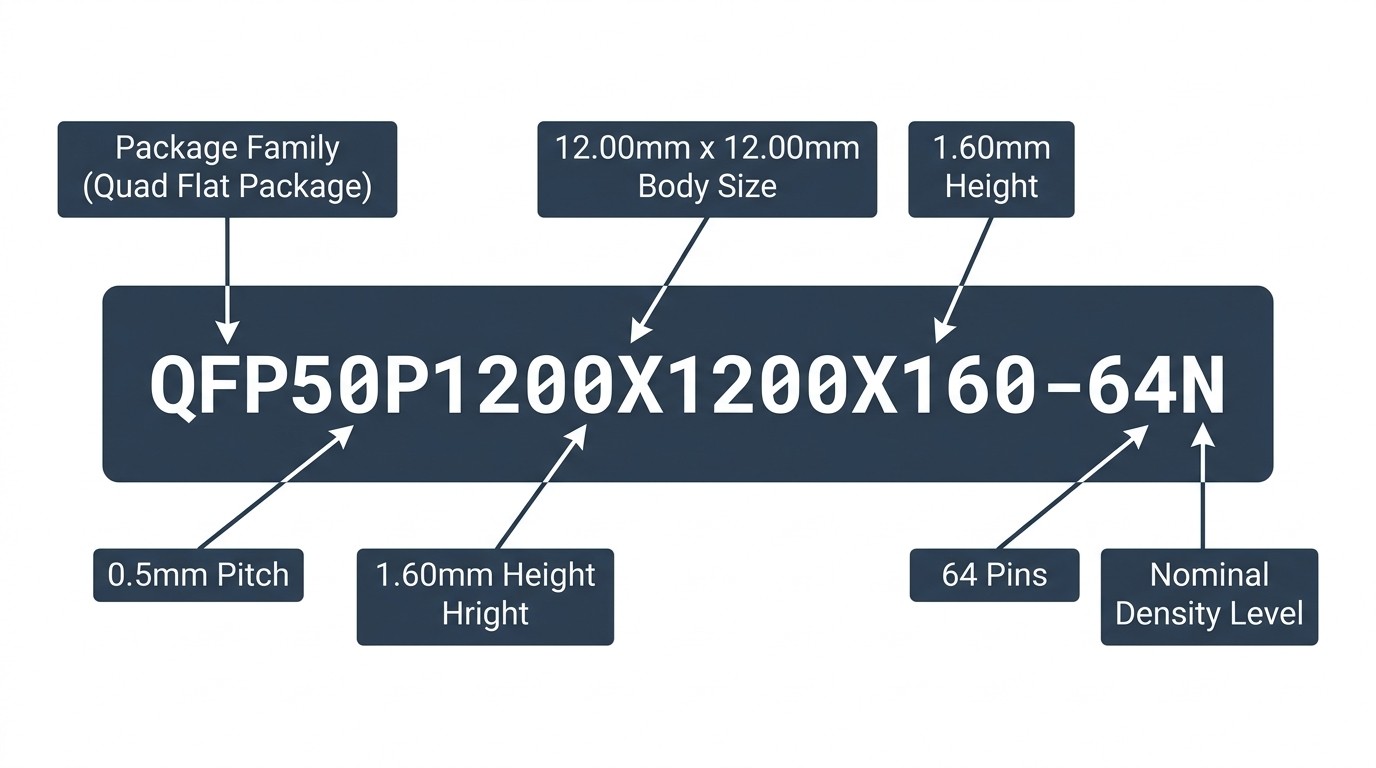
The official naming convention follows this structure: [Package Family] + [Pitch]P + [Body Length]X[Body Width]X[Height] - [Pin Qty] + [Density].
For example, a footprint named QFP50P1200X1200X160-64N is not a random string. It explicitly indicates a Quad Flat Package with a 0.5mm pitch, a 12.00mm x 12.00mm body, a 1.60mm height, 64 pins, and a Nominal density level. If the original board was designed for a 0.8mm pitch, comparing the IPC-7351 syntax immediately flags the incompatibility before the part is ever ordered.
The Millimeter vs. Mils Conversion Trap
Datasheets almost universally provide component dimensions in millimeters, but older or highly specific PCB layout software often defaults to mils (thousandths of an inch). Failing to convert these units accurately is a primary cause of pitch mismatch.
For instance, an engineer might read a pad width of 0.37mm on a datasheet. If entered directly into a mil-based system without conversion, the footprint will fail. The correct procedure requires converting 0.37mm to exactly 13.78 mils. Furthermore, experts point out that changing the workspace grid settings to exactly match the component's pitch—such as setting the grid to 31.5 mils for a 0.8mm pitch component—allows designers to seamlessly snap a row of pins into perfect alignment without relying on manual coordinate math.
Land Pattern vs. Component Footprint
A component's physical footprint is not a 1:1 match with the PCB land pattern. The land pattern must account for fabrication tolerances, solder fillets, and mask clearances.
IPC-7351 Density Levels (M, N, L)
IPC-7351 defines three density levels based on material condition and land protrusion. Verifying a replacement means checking if it fits the existing land pattern density designed into the bare board.
Level A (Suffix M): Maximum/Most material condition. Used for low-density applications where robust solder joints are required, such as industrial or military hardware.
Level B (Suffix N): Median/Nominal material condition. The standard for moderate density, general-purpose electronics.
Level C (Suffix L): Minimum/Least material condition. Used for high-density applications like mobile phones where board space is severely limited.
If a replacement part requires a Level A (Most) footprint to achieve a reliable solder joint, but the existing PCB was designed for a Level C (Least) density, the replacement will suffer from weak mechanical adhesion despite having the correct pinout.
The Solder Fillet Calculation
While many guides and video tutorials suggest adding a flat 25 mils to the pad length to create a solder fillet based on IPC-2222A, professional workflows actually require dynamic calculations.
Experts point out that IPC-2222 is the standard for Rigid Organic Printed Boards and dictates through-hole minimum sizes. SMT solder fillet goals (toe, heel, and side) are actually governed by IPC-7351 and are calculated dynamically based on the package type and density level. Relying on the outdated "add 25 mils" rule of thumb for a fine-pitch surface mount replacement will result in oversized pads, increasing the risk of component shifting during reflow.
📺 How to Create IPC Compliant Footprint in OrCAD PCB Editor 17.4
Soldermask vs. Pastemask Clearances
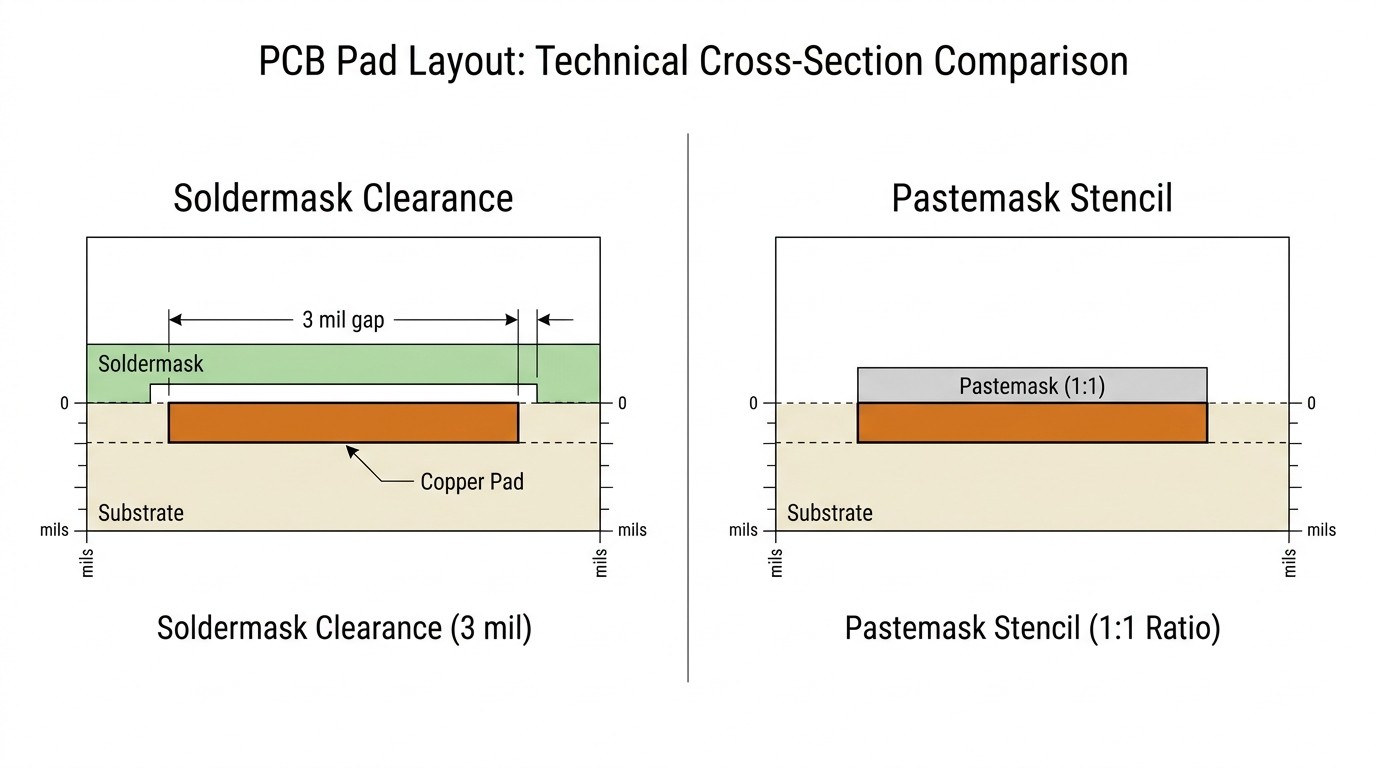
Standard soldermask expansion is typically 2 to 3 mils (50-75 μm) per side, resulting in a total clearance of 4 to 6 mils larger than the pad dimension. Conversely, the pastemask (stencil) is typically a 1:1 exact match with the raw pad dimension.
With a soldermask clearance of 4 to 6 mils, a slight registration shift during PCB fabrication will not cause the mask to ride up onto the copper pad. If a replacement component requires a different stencil thickness or window-paned pastemask to prevent solder bridging, the existing board's stencil must be re-cut, negating the cost benefits of a drop-in replacement.
Bottom-Terminated Components (BTCs)
Bottom-terminated components, such as QFN, DFN, and BGA packages, introduce hidden compatibility risks because their critical connections are located entirely beneath the component body.
Thermal Pad Grounding and Via Short Risks
QFN and BGA packages rely heavily on exposed thermal pads for both heat dissipation and electrical grounding. If a replacement IC has a larger thermal pad than the original component, it risks shorting out nearby vias or signal traces routed under the chip. Conversely, if the replacement's thermal pad is smaller, the existing solder paste volume on the board may cause the component to float, preventing the perimeter pins from making contact with their respective pads.
Thermal Throttling from Undersized Pads
Beyond electrical shorts, thermal pads dictate the thermal resistance of the system. If an engineer replaces a power management IC with a pin-to-pin compatible alternative that features a 20% smaller thermal pad, the new component will fail to dissipate heat into the PCB's copper planes at the same rate. Under heavy load, this leads to thermal throttling or catastrophic thermal runaway, even if the electrical specifications match perfectly.
Datasheet Traps and 3D Model Verification
Datasheets and 3D models are the primary tools for verifying compatibility, but they contain inherent ambiguities that require careful interpretation.
"Typical" Dimensions vs. Guaranteed Tolerances
Industry analysis of PCB footprint errors reveals a major pain point: datasheets often provide "Typical" dimensions without explicit tolerances. This forces engineers to make judgment calls, such as picking the midpoint between assumed values.
When verifying a replacement part, engineers must look for "Guaranteed" (Min/Max) dimensions. Compounded assumptions based on "Typical" numbers are a leading cause of footprint mismatch during assembly. If the original part was designed at the minimum tolerance and the replacement part is manufactured at the maximum tolerance, the physical bodies may clash with adjacent components on a densely packed board.
Pin 1 Misalignment in 3D STEP Files
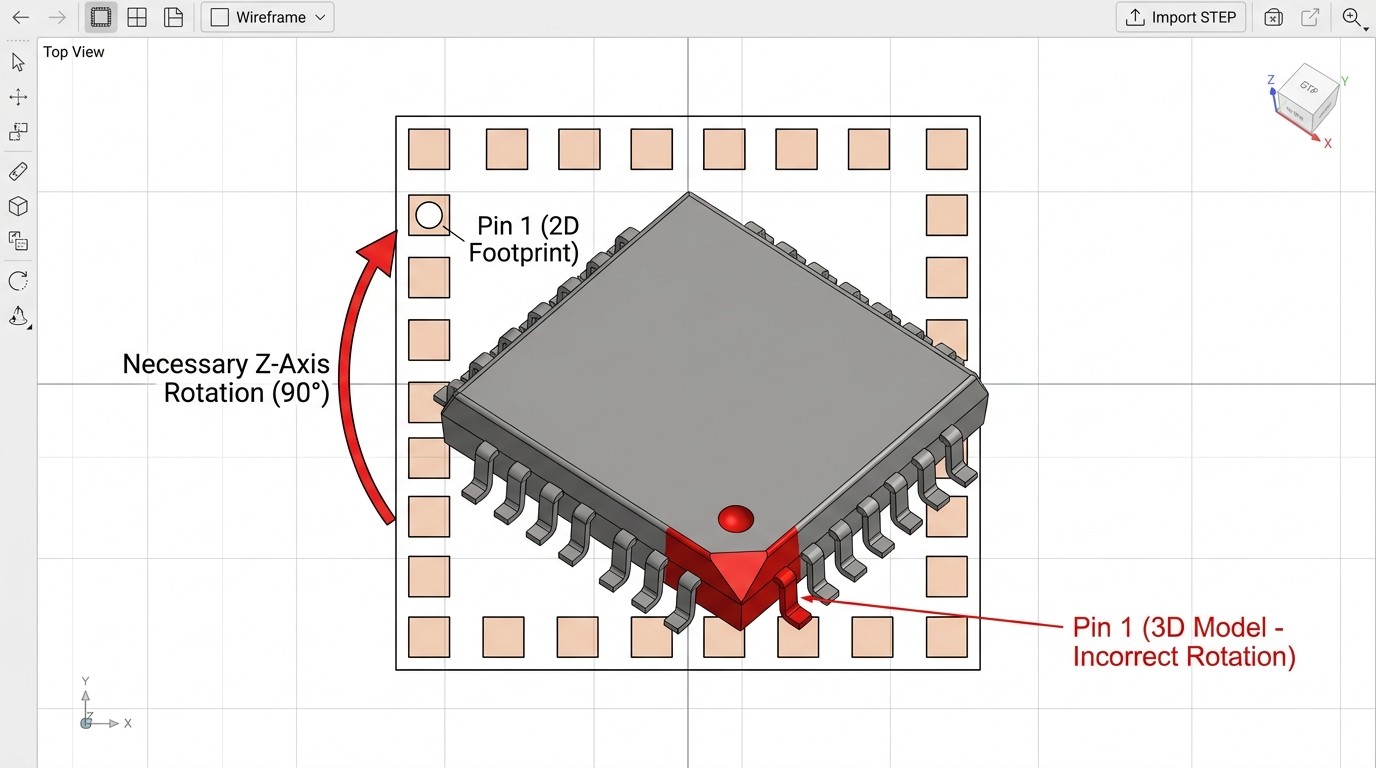
In visual stress tests of PCB layout software, experts point out that importing a .step 3D model often reveals hidden orientation errors. Even if the dimensions appear correct, the Pin 1 indicator (the physical dot or chamfer on the chip body) might default to a 90-degree rotation away from the footprint's Pin 1 pad.
Engineers must manually verify the XYZ offset and rotate the 3D model on the Z-axis to align the indicators. Failing to correct this in the CAD software means the physical assembly house will program their pick-and-place machines based on the flawed 3D centroid data, resulting in the replacement chip being soldered backward.
Component Replacement Verification Checklist
Use this structured decision aid to validate a replacement component before approving it for procurement or assembly.
| Verification Stage | Action Required | Pass Condition | Fail Condition |
|---|---|---|---|
| 1. Terminology Check | Verify FFF vs. Pin-to-Pin status. | 100% Form, Fit, and Function match. | Requires firmware changes or external pull-ups. |
| 2. Package & Pitch Audit | Compare IPC-7351 syntax and convert mm to mils. | Pitch, body size, and pin count match exactly. | Pitch is off by >0.05mm; unit conversion error. |
| 3. Land Pattern Validation | Check IPC-7351 density (M, N, L) and fillet requirements. | Replacement fits existing pad density without bridging. | Requires IPC-2222 through-hole rules for an SMT part. |
| 4. BTC & Thermal Audit | Measure exposed thermal pad against existing vias. | Pad size matches; no risk of shorting adjacent traces. | Pad is larger (shorts vias) or smaller (thermal throttling). |
| 5. 3D Model Alignment | Import .step file and check Z-axis rotation. | Pin 1 on the 3D body aligns with Pin 1 on the footprint. | Centroid data is rotated 90/180 degrees off-axis. |
Closing Summary
Replacing a component requires strict validation of mechanical dimensions, IPC land pattern standards, and thermal pad compatibility to ensure a successful, error-free assembly. Assuming that a pin-to-pin compatible part is a true drop-in replacement without auditing the datasheet tolerances and 3D model orientation leads to costly manufacturing defects. To ensure your next production run proceeds without footprint errors, consult an IPC-7351 calculator tool to verify your land patterns and tolerances before approving any substitute part.
Frequently Asked Questions
Are JEDEC standard packages always identical across different manufacturers?
Yes, formally standardized packages share identical mechanical dimensions. For example, the widely used SOT-23 (Small Outline Transistor) package is formally standardized by JEDEC under the official package outline designation TO-236AB. Parts listed as TO-236AB by one manufacturer and SOT-23 by another are mechanically identical drop-in replacements.
How should I handle unused pins or "No Connect" (NC) pins on a replacement IC?
Always check the replacement datasheet for NC pin handling. Some manufacturers require NC pins to be tied to ground for thermal dissipation or shielding, while others require them to be left floating. If the original board tied an NC pin to ground, and the replacement part uses that pin for an internal test mode, the board will fail.
What are the risks of using non-exact footprint replacements?
Minor pitch or pad size mismatches lead to tombstoning (where the component stands up on one end during reflow), solder bridging between fine-pitch pins, component misalignment, and ultimately, costly board re-spins.
What tools or databases can I use to compare component footprints?
Engineers rely on IPC-7351 footprint calculators, manufacturer-provided CAD models (UltraLibrarian, SnapEDA), and native 3D step viewers within EDA tools (Altium, OrCAD, KiCad) to overlay and compare the mechanical dimensions of replacement parts against the original board files.
 UTMEL
UTMEL
We are the professional distributor of electronic components, providing a large variety of products to save you a lot of time, effort, and cost with our efficient self-customized service. careful order preparation fast delivery service
 Modeling Wide Band-Gap Semiconductors for Enhanced PerformanceRakesh Kumar, Ph.D.31 January 20243883
The article delves into the challenges faced by silicon-based power electronic devices and highlights the potential of wide band-gap semiconductors. It also emphasizes the importance of modeling power semiconductor devices and provides insights into various models. For electrical energy conversion to be dependable and effective, power electronics and semiconductor device technologies are essential.
Read More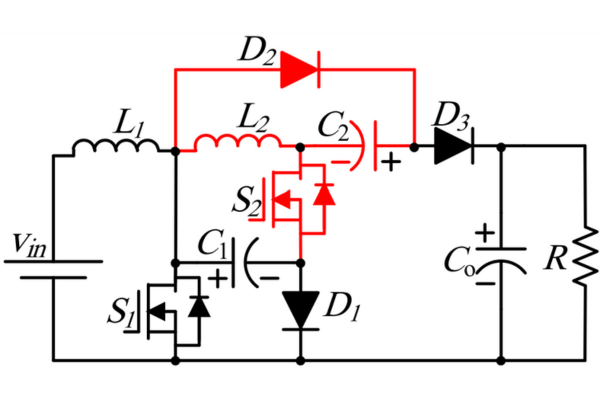 Optimizing Energy Management with Non-Isolated DC-DC ConvertersRakesh Kumar, Ph.D.04 February 20243509
The article classifies DC-DC converters and discusses the benefits and limitations of them. It proposes a modified DC-DC converter topology that combines the Cuk and Positive Output Super Lift Luo topologies to achieve a higher voltage gain with fewer components.
Read More ‘6G Networks’ - Pioneering the Next Era of Connectivity And InnovationRakesh Kumar, Ph.D.18 March 20243843
The article provides a comprehensive overview of the evolving landscape of mobile networks, the requirements that will shape the future of mobile communication, and the innovative technologies driving the transition to 6G.
Read More Review of IoT-Based Smart Home Security Systems- Part 1Rakesh Kumar, Ph.D.28 March 20244317
The article discusses the evolution of IoT-based smart home security systems, integrating advanced technologies like Raspberry Pi, PIR sensors, and voice recognition for enhanced user experience and efficiency.
Read More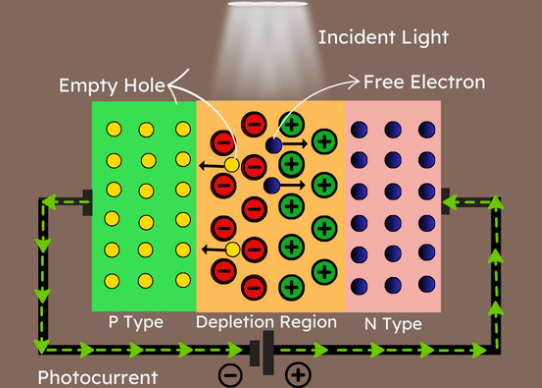 Understanding Photodiodes: Working Principles and Applications - Part 2Rakesh Kumar, Ph.D.24 May 20245587
The article provides a comprehensive overview of photodiodes, focusing on their operational principles, key factors affecting their efficiency, advantages, and disadvantages, and highlights their diverse applications.
Read More
Subscribe to Utmel !
![MAX6687AU40H]() MAX6687AU40H
MAX6687AU40HAnalog Devices
![RA691-2OZ]() RA691-2OZ
RA691-2OZChip Quik
![CR8253-000]() CR8253-000
CR8253-000TE Connectivity
![216202]() 216202
216202RS Pro
![S-5844A95DB-M5T1U3]() S-5844A95DB-M5T1U3
S-5844A95DB-M5T1U3SEIKO
![100182EB]() 100182EB
100182EBMenda
![110544EB]() 110544EB
110544EBMenda
![100043EB]() 100043EB
100043EBMenda
![120288EB]() 120288EB
120288EBMenda
![113660EB]() 113660EB
113660EBMenda