Product
 Brand
Brand Articles
 Tools
Tools
Accelerometer Sensors Guide: Working Principle, Circuit Design, Specifications, and Applications
An accelerometer sensor measures acceleration: the rate at which velocity changes. In practical electronics, that single capability supports many different tasks, including tilt detection, motion sensing, vibration monitoring, shock measurement, fall detection, vehicle safety, inertial navigation, and predictive maintenance.
The important point for engineers and buyers is that not every accelerometer is built for the same kind of acceleration. A low-power MEMS accelerometer that works well in a wearable may be the wrong choice for a motor vibration node. A rugged piezoelectric accelerometer that performs well on an industrial machine may not measure true static tilt. A high-g shock sensor that survives impact testing may be too noisy or too insensitive for low-level motion.
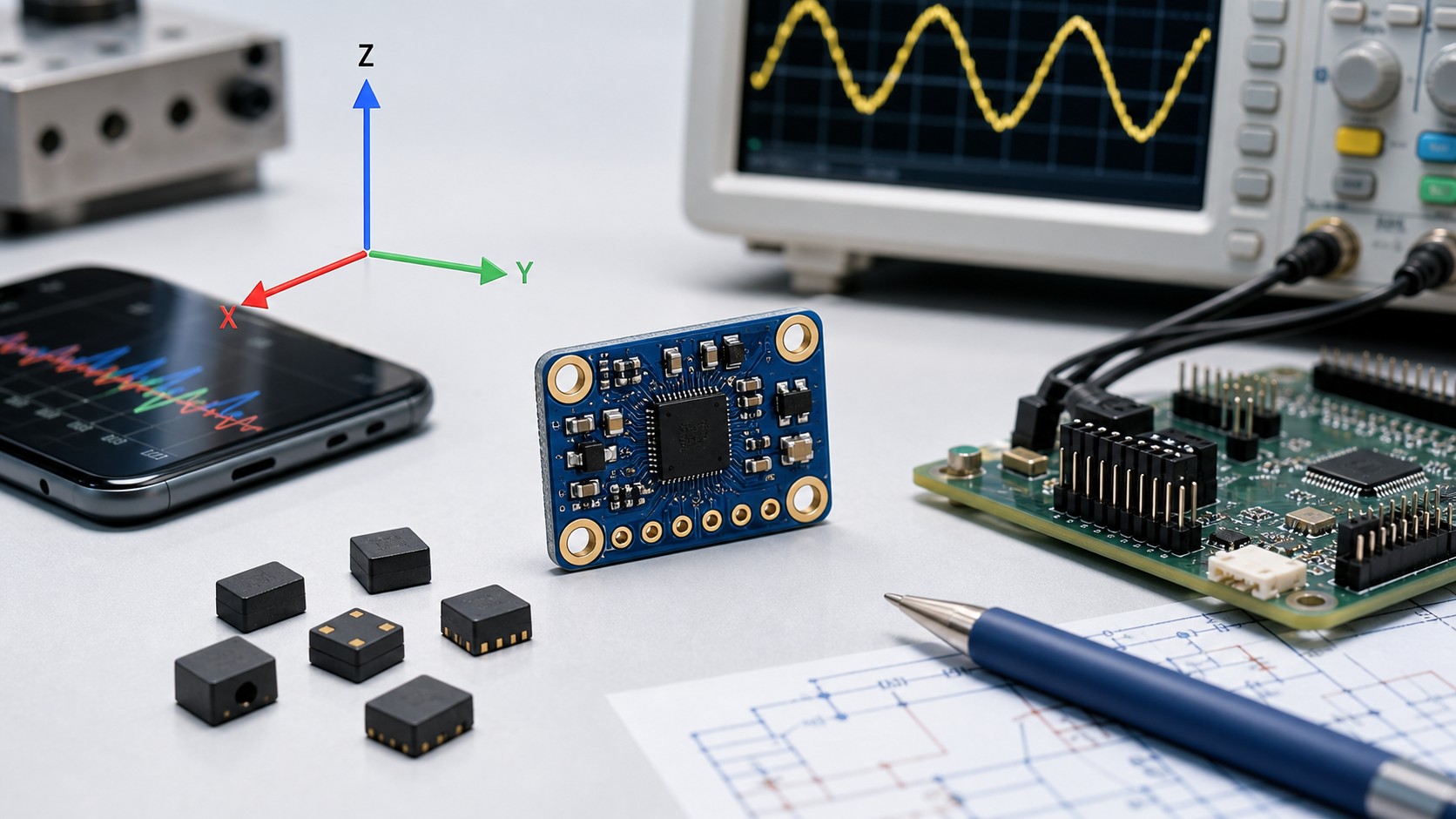
Quick Answer
An accelerometer detects acceleration along one or more axes and converts mechanical motion into an electrical output. Most modern MEMS accelerometers use a suspended proof mass inside a tiny silicon structure. When acceleration acts on the sensor, the proof mass moves relative to fixed structures, and the sensor electronics convert that movement into a voltage, digital code, or charge signal.
For selection, start with the application:
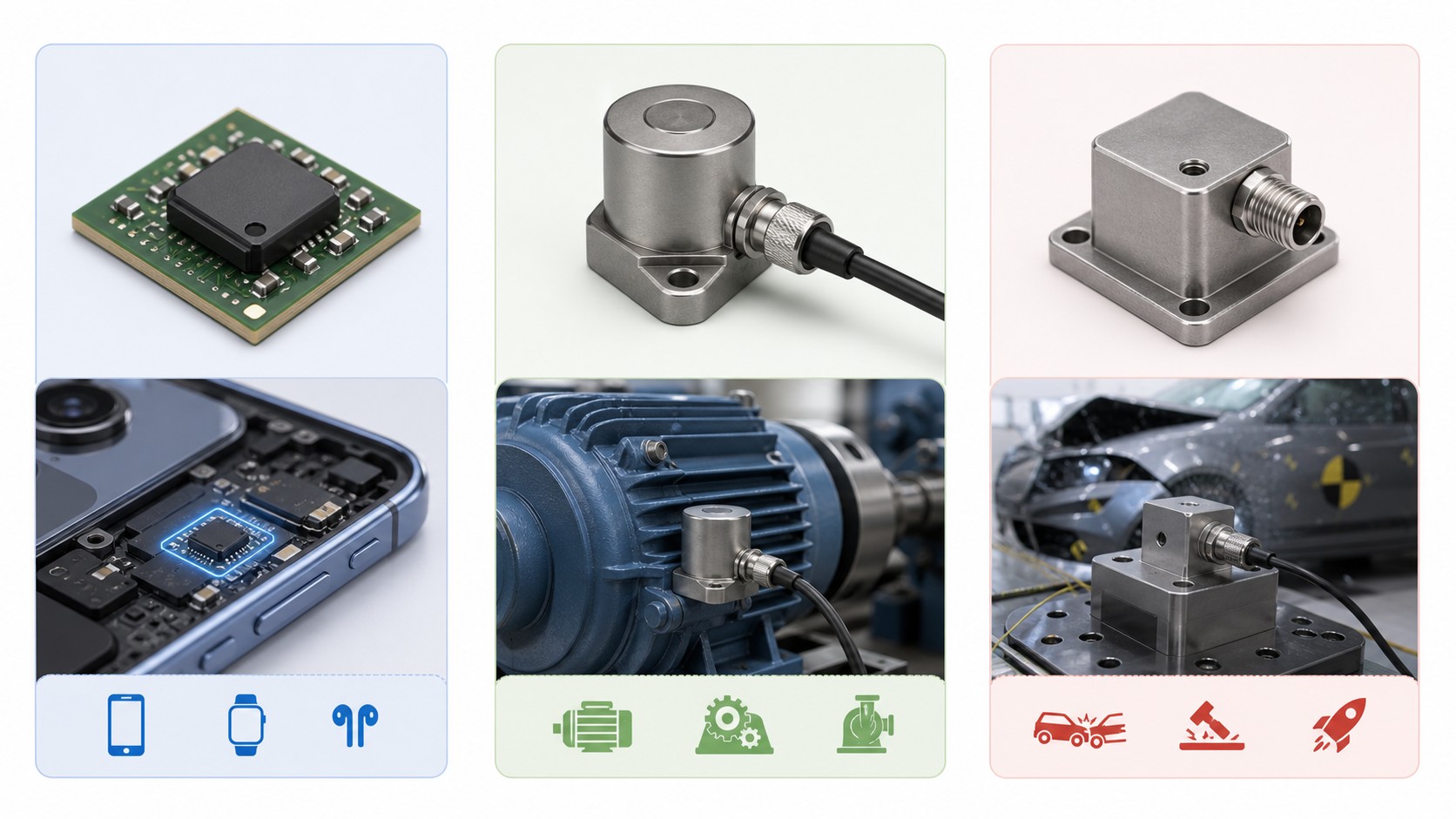
Use capacitive MEMS accelerometers for static tilt, low-frequency motion, wearables, consumer electronics, IoT nodes, and many embedded systems.
Use piezoelectric accelerometers for dynamic vibration, machinery monitoring, modal testing, and high-frequency measurement.
Use piezoresistive or high-g MEMS accelerometers for shock, crash, drop, and impact testing.
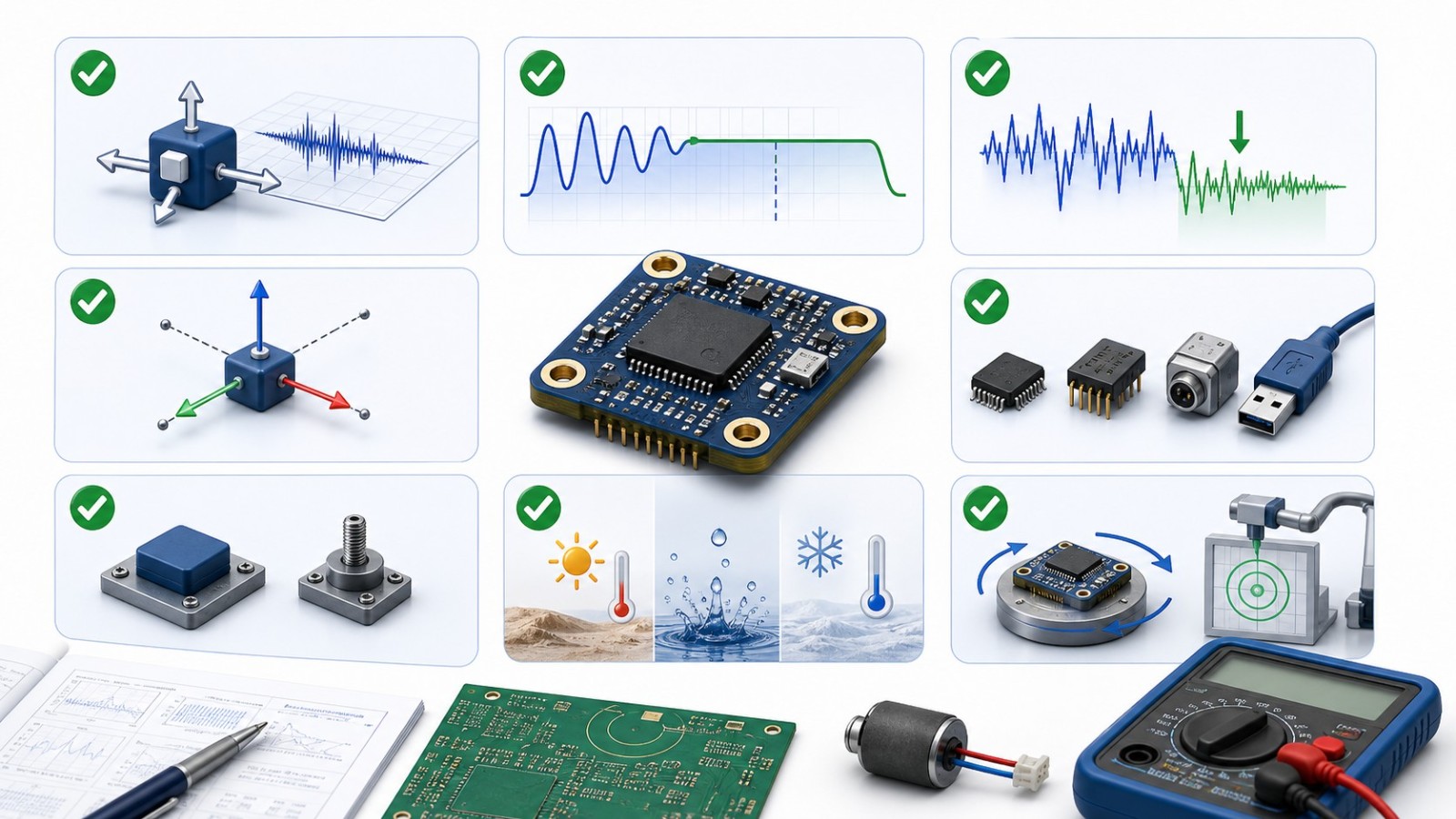
The core datasheet parameters to compare are measurement range, number of axes, bandwidth, sensitivity, noise density, resolution, zero-g bias, cross-axis sensitivity, output interface, temperature range, mounting method, package, power consumption, and calibration requirements.
What Is an Accelerometer Sensor?
An accelerometer is an electromechanical sensor that measures acceleration forces. Those forces may be static, such as the acceleration due to gravity used for tilt measurement, or dynamic, such as vibration, impact, rotation-induced motion, or sudden deceleration.
In a 3-axis accelerometer, the sensor measures acceleration along the X, Y, and Z axes. The output can be used directly as acceleration data or processed into higher-level information such as orientation, vibration severity, step count, gesture state, free-fall detection, impact event, or machine-health trend.
Accelerometers are often discussed together with gyroscopes, but they are not the same device. An accelerometer measures linear acceleration and gravity-related tilt. A gyroscope measures angular rate. Many inertial measurement units combine both sensors, and sometimes a magnetometer as well, to improve orientation and motion tracking.
How Accelerometers Work
Most accelerometers rely on inertia. A small proof mass is suspended inside the sensor. When the sensor package accelerates, the proof mass tends to lag behind because of inertia. The relative displacement, stress, or force is converted into an electrical signal.
Different technologies convert that motion in different ways:
Capacitive MEMS accelerometers detect changes in capacitance between moving and fixed microstructures.
Piezoelectric accelerometers use materials that generate charge when mechanically stressed.
Piezoresistive accelerometers detect resistance changes caused by strain.
Some specialty accelerometers use thermal, optical, servo, or other sensing methods.
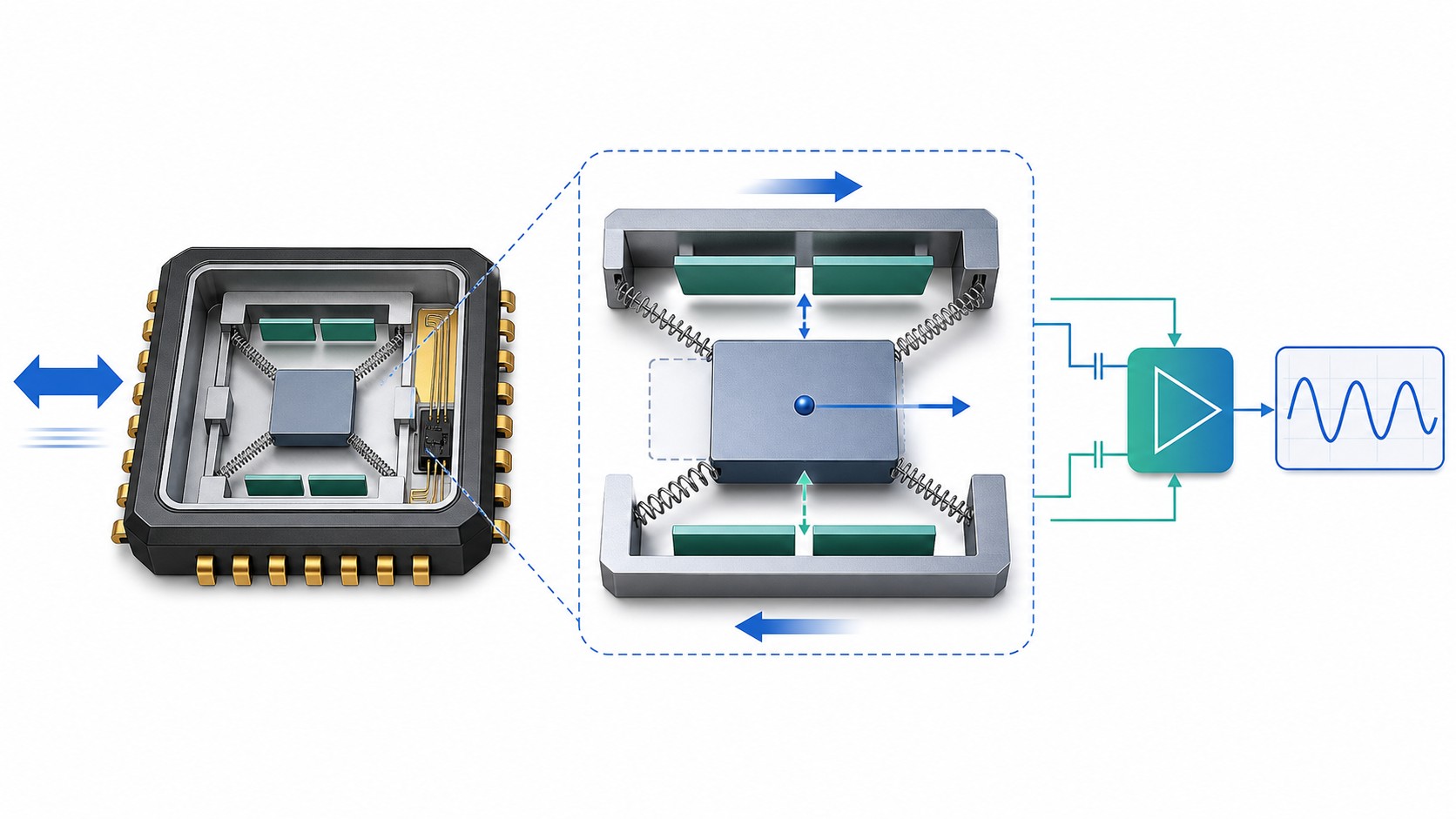
Capacitive MEMS Principle
In a capacitive MEMS accelerometer, the proof mass and nearby fixed structures form tiny capacitors. Acceleration changes the spacing between those structures, which changes capacitance. The internal electronics measure that change and convert it into an analog voltage or digital output.
This approach is common because MEMS devices can be small, low power, low cost, and easy to integrate with microcontrollers. Many digital MEMS accelerometers include signal conditioning, analog-to-digital conversion, filtering, interrupt generation, and I2C or SPI communication inside the package.
Piezoelectric Principle
Piezoelectric accelerometers use a crystal or ceramic material that produces electrical charge when compressed or strained. They are widely used for vibration and dynamic acceleration measurement because they can support high-frequency content and rugged industrial environments.
However, conventional piezoelectric accelerometers are generally not used for true DC or static acceleration measurement. If the task is slow tilt measurement or gravity sensing, a DC-response MEMS device is usually more appropriate.
Piezoresistive Principle
Piezoresistive accelerometers use strain-sensitive elements whose resistance changes when the proof mass moves under acceleration. They are often used where high shock levels, impact events, or crash pulses must be captured. They can be valuable when the event is severe and transient, but they still need careful range, bandwidth, and mounting selection.
Main Types of Accelerometer Sensors
| Type | Strengths | Limitations | Common uses |
|---|---|---|---|
| Capacitive MEMS | Small size, low power, DC response, easy digital interface | Limited bandwidth compared with many piezoelectric sensors; noise varies widely by device grade | Smartphones, wearables, tilt sensing, IoT, drones, low-frequency vibration |
| Piezoelectric | Excellent for dynamic vibration and high-frequency measurement | Not ideal for true static acceleration; may need charge or IEPE/ICP-compatible signal conditioning | Machine vibration, modal analysis, dynamic testing, industrial monitoring |
| Piezoresistive | Handles high-g shock and transient events | May be less suitable for tiny low-frequency motion; range and noise must be checked carefully | Crash tests, drop tests, impact measurement, shock monitoring |
| Thermal or specialty MEMS | Can be useful in niche low-g or special environments | Not a default choice for most embedded designs | Specialty instrumentation |
| Servo or force-balance | High precision in selected instrumentation | Larger, more expensive, and application-specific | Navigation, laboratory, geophysical, precision systems |
Key Accelerometer Specifications
Measurement Range
Measurement range, often shown as +/-g, defines the maximum acceleration the sensor can represent without clipping or saturating. A +/-2 g or +/-4 g accelerometer may suit tilt, motion, and wearable applications. Industrial vibration, impact logging, and automotive events may require much higher ranges.
Do not choose the smallest range only because it gives higher sensitivity. The sensor must leave margin for real events, startup transients, drops, overloads, and installation surprises. If the expected acceleration approaches the top of the range, the output may saturate and hide the actual event.
Sensitivity
Sensitivity describes how much the output changes per unit of acceleration. Analog sensors may specify sensitivity in mV/g. Digital sensors may specify counts or LSB per g. Higher sensitivity helps resolve smaller acceleration changes, but it must be considered together with noise, bandwidth, range, and ADC resolution.
Bandwidth and Frequency Response
Bandwidth tells you the frequency range over which the accelerometer can provide useful measurement. For slow tilt detection, the required bandwidth may be low. For rotating machinery, gear mesh, bearing faults, shock, or modal testing, bandwidth can become one of the most important specifications.
Bandwidth is not just a number to maximize. Higher bandwidth can increase noise and data volume. The right choice depends on the signal you need to see and the sampling system that will capture it.
Noise Density and Resolution
Noise density indicates the sensor's output noise over bandwidth. In low-level motion, tilt, or vibration measurement, noise can limit the smallest acceleration that can be detected. A high-resolution digital output does not automatically mean useful resolution if the sensor noise is high.
For practical design, estimate noise over the measurement bandwidth, then compare it with the smallest acceleration event you need to detect.
Zero-g Bias and Offset Drift
Zero-g bias is the output when the sensor experiences no acceleration on that axis. In the real world, bias changes with temperature, supply voltage, aging, mechanical stress, soldering, and board strain. This matters for tilt measurement, inertial navigation, low-frequency monitoring, and any design that integrates acceleration into velocity or displacement.
Cross-Axis Sensitivity
Cross-axis sensitivity is the unwanted response to acceleration perpendicular to the intended measurement axis. A sensor may be specified as X, Y, and Z, but mechanical alignment, package tolerances, and mounting can cause one axis to respond slightly to another. This becomes important in precision measurement, vibration direction analysis, and sensor-fusion algorithms.
Number of Axes
Single-axis accelerometers are common in focused vibration and test applications. Two-axis sensors can support tilt and planar motion. Three-axis accelerometers are common in embedded systems because they capture full spatial acceleration and orientation relative to gravity.
Output Interface
Accelerometers may provide analog voltage, charge output, IEPE/ICP-style conditioned output, I2C, SPI, PWM, or other interfaces. Interface choice affects noise immunity, cable length, sampling rate, microcontroller workload, and power design.
Temperature and Environmental Ratings
Temperature range, humidity exposure, ingress protection, shock survivability, and mechanical packaging can decide whether a sensor is suitable for real deployment. An accelerometer that works on a lab bench may not survive a motor housing, vehicle chassis, outdoor enclosure, or shipping container.
Circuit Design for Accelerometer Sensors
Circuit design depends strongly on output type. A digital MEMS accelerometer on a small PCB has very different needs from a piezoelectric vibration sensor connected through a cable to a data acquisition system.
Digital MEMS Accelerometer Circuit
For I2C or SPI MEMS accelerometers, the typical circuit includes:
Stable supply voltage within the sensor's allowed range
Local decoupling capacitors close to the power pins
Pull-up resistors for I2C lines when required
Correct logic voltage compatibility with the microcontroller
Short, clean traces for digital communication
Optional interrupt lines for motion, free-fall, tap, wake, or data-ready events
A PCB layout that avoids unnecessary mechanical stress on the package
Digital sensors are convenient, but firmware still matters. Configure the full-scale range, output data rate, bandwidth/filter settings, interrupt thresholds, and power mode intentionally. A wrong register configuration can make a good sensor look noisy, slow, saturated, or unresponsive.
Analog Accelerometer Circuit
For analog voltage-output accelerometers, pay attention to:
ADC input range and reference voltage
Anti-alias filtering before sampling
Output impedance and ADC acquisition time
Supply noise and ratiometric behavior
Grounding and shielding
Cable length if the sensor is remote from the ADC
Analog outputs can be simple, but the measured result depends on the entire signal chain. A high-quality sensor can still produce poor data if the ADC, reference, filter, or layout is weak.
Piezoelectric and IEPE/ICP Measurement
Piezoelectric accelerometers may require charge amplifiers or IEPE/ICP-compatible constant-current excitation. They are often used with dedicated vibration instruments, DAQ modules, or condition-monitoring hardware.
Before connecting a piezoelectric accelerometer, confirm:
Sensor output type: charge, voltage, IEPE/ICP, or another conditioned format
Required excitation current or voltage
Cable type and shielding
Frequency range of the signal conditioner
Expected acceleration amplitude and overload margin
Mounting method and ground isolation requirements
Do not assume a piezoelectric vibration sensor can be wired like a 3.3 V digital MEMS accelerometer.
PCB Layout and Mechanical Placement
For embedded MEMS devices, the PCB is part of the mechanical system. Place the accelerometer close to the mechanical point of interest. Avoid mounting it on a flexible board edge if accurate motion transfer is needed. Keep it away from large heat sources when temperature drift matters.
If the sensor is used for vibration measurement, the mounting path from the object to the sensing element must be stiff and repeatable. Loose mounting, soft adhesives, long standoffs, and flexible enclosures can distort the measured frequency response.
Mounting, Calibration, and Measurement Pitfalls
Accelerometer accuracy is not determined by the chip alone. Mechanical installation can dominate the result.
Mounting Method
Stud mounting, adhesive mounting, magnetic bases, clips, and PCB mounting all have different stiffness and frequency behavior. For high-frequency vibration, stiff mounting is usually important. For quick diagnostics, a magnetic mount may be convenient but may not preserve high-frequency accuracy.
Axis Alignment
The physical sensor axes must match the measurement coordinate system. If the package is rotated, tilted, or mounted on a curved surface, the measured X, Y, and Z values need correction or calibration.
Calibration
Calibration may include zero-g offset calibration, sensitivity calibration, temperature compensation, axis alignment, scale-factor correction, or system-level calibration. In low-cost embedded products, calibration may be simple. In test and measurement systems, calibration traceability can be a requirement.
Sampling and Filtering
Sampling rate must be high enough for the signal bandwidth. Anti-alias filtering is essential when higher-frequency content could fold into the measurement band. Digital filtering inside MEMS devices can help, but designers should understand the filter settings, latency, and output data rate.
Accelerometer Applications
Consumer Electronics
Smartphones, tablets, game controllers, earbuds, cameras, and wearables use accelerometers for screen rotation, gesture detection, step counting, activity recognition, tap detection, sleep/wake behavior, and motion-triggered features. These applications usually prioritize low power, small package size, digital interface, and embedded functions.
Industrial Vibration and Predictive Maintenance
Motors, pumps, compressors, fans, gearboxes, and bearings can be monitored using vibration data. In this area, bandwidth, mounting, noise, dynamic range, temperature, and ruggedness matter more than ultra-low standby power. Piezoelectric accelerometers remain common, while MEMS vibration sensors are increasingly used in connected condition-monitoring systems.
Automotive and Transportation
Accelerometers support airbag deployment, crash recording, stability control, suspension systems, road condition sensing, vehicle tracking, and transport shock logging. The correct sensor depends on whether the design needs low-g motion, high-g crash detection, vibration, or long-term data logging.
Robotics, Drones, and IMUs
Robots and drones use accelerometers as part of inertial measurement systems. Accelerometer data helps estimate attitude, detect motion, and support stabilization when fused with gyroscope and sometimes magnetometer data. Bias, noise, bandwidth, vibration rejection, and calibration all influence performance.
Medical and Wearable Devices
Wearables and medical devices use accelerometers for activity tracking, fall detection, posture detection, sleep monitoring, and patient movement analysis. These systems often need low power, small size, stable bias, and algorithms that distinguish intentional movement from noise or vibration.
Structural and Environmental Monitoring
Buildings, bridges, wind turbines, rail systems, and test structures may use accelerometers to detect vibration, resonance, shock, or long-term changes. Sensor selection depends on frequency range, sensitivity, environmental rating, installation method, and the analysis method used after data collection.
How to Choose the Right Accelerometer
Use a requirements-first process:
1. Define what must be measured: tilt, motion, vibration, shock, impact, orientation, or condition trend. 2. Estimate acceleration range, including overloads and unexpected events. 3. Define the frequency range and required sampling rate. 4. Decide whether DC response is required. 5. Choose the sensing technology: capacitive MEMS, piezoelectric, piezoresistive, or another type. 6. Compare sensitivity, noise density, resolution, and zero-g bias. 7. Match the output interface to the microcontroller, DAQ, or signal conditioner. 8. Check supply voltage, current consumption, sleep modes, and startup time. 9. Review temperature, shock, package, ingress, and mounting requirements. 10. Plan calibration, filtering, and mechanical validation before production.
Common Mistakes
Choosing Range Without Headroom
A range that is too small can clip real events. A range that is too large may reduce sensitivity for small signals. Choose the range around the real measurement problem, not around an ideal lab scenario.
Ignoring Bandwidth
A sensor can have the right range but the wrong frequency response. This is especially common when designers try to reuse a motion-sensing MEMS accelerometer for vibration analysis.
Confusing Static and Dynamic Measurement
Some accelerometers can measure static acceleration such as gravity. Others are intended for dynamic vibration and not true DC measurement. This distinction is critical for tilt sensing and low-frequency motion.
Treating the Sensor as Separate From Its Mount
Mounting affects the measurement. A poorly mounted accelerometer can show resonance, attenuation, phase error, or noise that is not present in the object being measured.
Overlooking Noise and Bias
Resolution, sensitivity, and bit depth are not enough. Noise and bias drift can determine whether the system can detect the event that matters.
Underestimating Firmware Setup
Digital accelerometers often ship with configurable ranges, filters, output data rates, power modes, interrupts, and FIFO behavior. Default settings may not match the application.
FAQ
What does an accelerometer measure?
It measures acceleration along one or more axes. Depending on the sensor and processing, that data can indicate vibration, motion, tilt, shock, impact, or orientation relative to gravity.
Can an accelerometer measure speed?
Not directly. It measures acceleration. Speed can be estimated by integrating acceleration over time, but errors from bias and noise accumulate quickly. Accurate velocity or position estimation usually needs additional sensors and filtering.
What is the difference between an accelerometer and a gyroscope?
An accelerometer measures linear acceleration and gravity-related tilt. A gyroscope measures angular velocity. Many IMUs combine both to improve motion and orientation estimation.
Is I2C or SPI better for an accelerometer?
I2C is simple and uses fewer pins, making it common in low-speed embedded designs. SPI can support higher data rates and more deterministic communication. The better choice depends on sampling rate, bus length, noise environment, and microcontroller resources.
What accelerometer is best for vibration monitoring?
There is no universal best sensor. For high-frequency industrial vibration, piezoelectric sensors are often used. For connected monitoring nodes, MEMS vibration sensors may be suitable when their bandwidth, noise, range, mounting, and temperature performance match the machine.
What accelerometer is best for tilt sensing?
A DC-response accelerometer, often a capacitive MEMS type, is usually appropriate for tilt sensing because it can measure the gravity vector. Bias stability, noise, resolution, temperature drift, and mechanical alignment are important.
Why does accelerometer data look noisy?
Noise can come from the sensor, power supply, ADC, digital configuration, vibration, poor mounting, cable pickup, aliasing, or insufficient filtering. First verify range, bandwidth, sampling rate, filtering, grounding, and mechanical installation.
Final Checklist
Measurement goal defined: tilt, motion, vibration, shock, or condition monitoring
Required number of axes identified
Measurement range selected with overload margin
Bandwidth and sampling rate matched to the signal
Sensitivity and noise checked against the smallest useful event
Zero-g bias and temperature drift considered
Output interface matched to MCU, ADC, or DAQ hardware
Power mode and startup behavior checked
Package, mounting, and environmental requirements reviewed
Filtering and anti-alias strategy planned
Calibration method defined
Mechanical validation included before final deployment
Sources and references used for this guide
* Analog Devices: Accelerometer Specifications - Quick Definitions
Source type: Official semiconductor manufacturer reference.
Used for: Definitions of accelerometer specifications such as range, sensitivity, noise, bias, and cross-axis behavior.
Caution: Definitions are general; exact values must come from the selected device datasheet.
* Analog Devices: Choosing the Most Suitable MEMS Accelerometer for Your Application
Source type: Official technical article.
Used for: MEMS accelerometer selection factors including bias, noise, vibration behavior, and application fit.
Caution: Examples reflect Analog Devices product context and should not be treated as neutral ranking evidence.
* Epson: What are accelerometers?
Source type: Official manufacturer educational article.
Used for: General explanation of acceleration, sensor types, and MEMS accelerometer operation.
Caution: Use for concept explanation, not for comparing all available products.
* DigiKey: Sensor Technologies for Accelerometers
Source type: Distributor technical article.
Used for: Overview of accelerometer sensing technologies and application boundaries.
Caution: Distributor content is useful background; final part selection still requires manufacturer datasheets.
* Kistler: What is an accelerometer? Types, working principle & selection guide
Source type: Official test-and-measurement vendor guide.
Used for: Accelerometer types, vibration and shock applications, and selection context.
Caution: Vendor positioning reflects Kistler's product domain and does not prove any product is best overall.
* enDAQ: Accelerometer Specifications: Decoding a Datasheet
Source type: Professional technical blog.
Used for: Practical explanation of datasheet parameters and measurement trade-offs.
Caution: Use as engineering guidance; verify critical values in the original sensor datasheet.
* Wilcoxon Sensing Technologies: Choosing an accelerometer
Source type: Sensor manufacturer application guidance.
Used for: Vibration accelerometer selection considerations such as temperature, sensitivity, mounting, and environment.
Caution: Especially relevant to industrial vibration; not a complete guide to low-power embedded MEMS sensors.
* GlobalSpec: Accelerometers Selection Guide
Source type: Engineering product-selection reference.
Used for: Broad classification of accelerometer types, features, and applications.
Caution: Treat as background selection context, not as primary evidence for any specific product claim.
 UTMEL
UTMEL
We are the professional distributor of electronic components, providing a large variety of products to save you a lot of time, effort, and cost with our efficient self-customized service. careful order preparation fast delivery service
 The Key Role of Electronic Components in IoT DevicesUTMEL01 September 20236104
The article discusses the pivotal role of electronic components in Internet of Things (IoT) devices. IoT devices work by capturing real-world data using sensors, processing it through a microcontroller, and then sending it to the cloud for further analysis.
Read More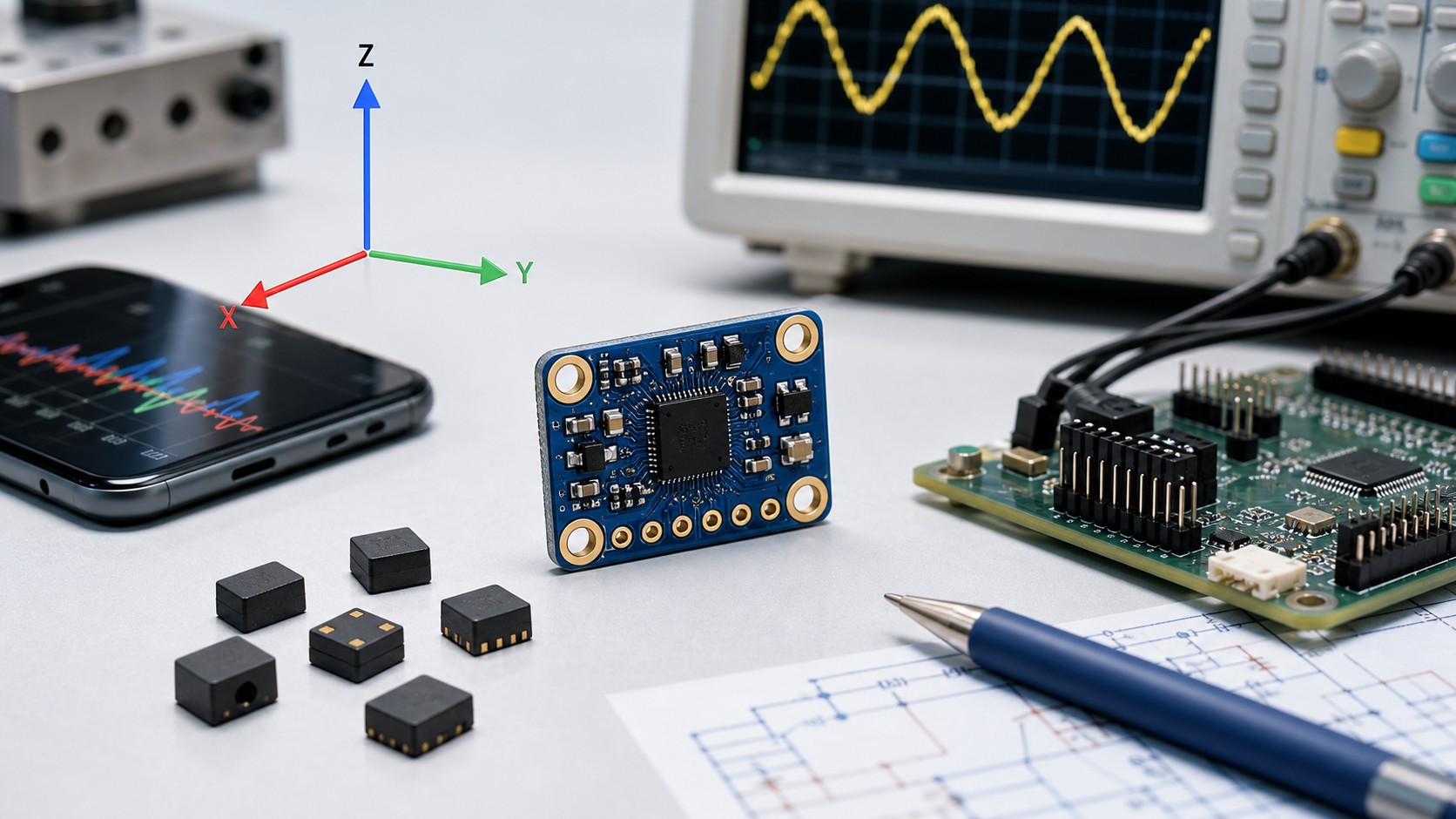 Accelerometer Sensors Guide: Working Principle, Circuit Design, Specifications, and ApplicationsUTMEL25 June 2026763
A practical accelerometer sensor guide covering working principles, MEMS and piezoelectric types, datasheet specifications, circuit design, mounting, applications, and selection.
Read More 2026 ADAS Sensors: Supply Outlook and Alternative SourcingUTMEL18 July 2026954
Automotive cleanroom assembly integrating advanced driver assistance systems. The automotive industry faces a structural semiconductor deficit in 2026, driven not by pandemic-era demand shocks but by AI data centers absorbing global foundry capacity on legacy nodes (40nm-90nm) where 95% of automotive-grade components are manufactured. Video demonstrations of these systems show a "machine view" overlay with red crosshairs tracking pedestrian movement and sudden cut-ins before traditional collision thresholds are triggered.
Read More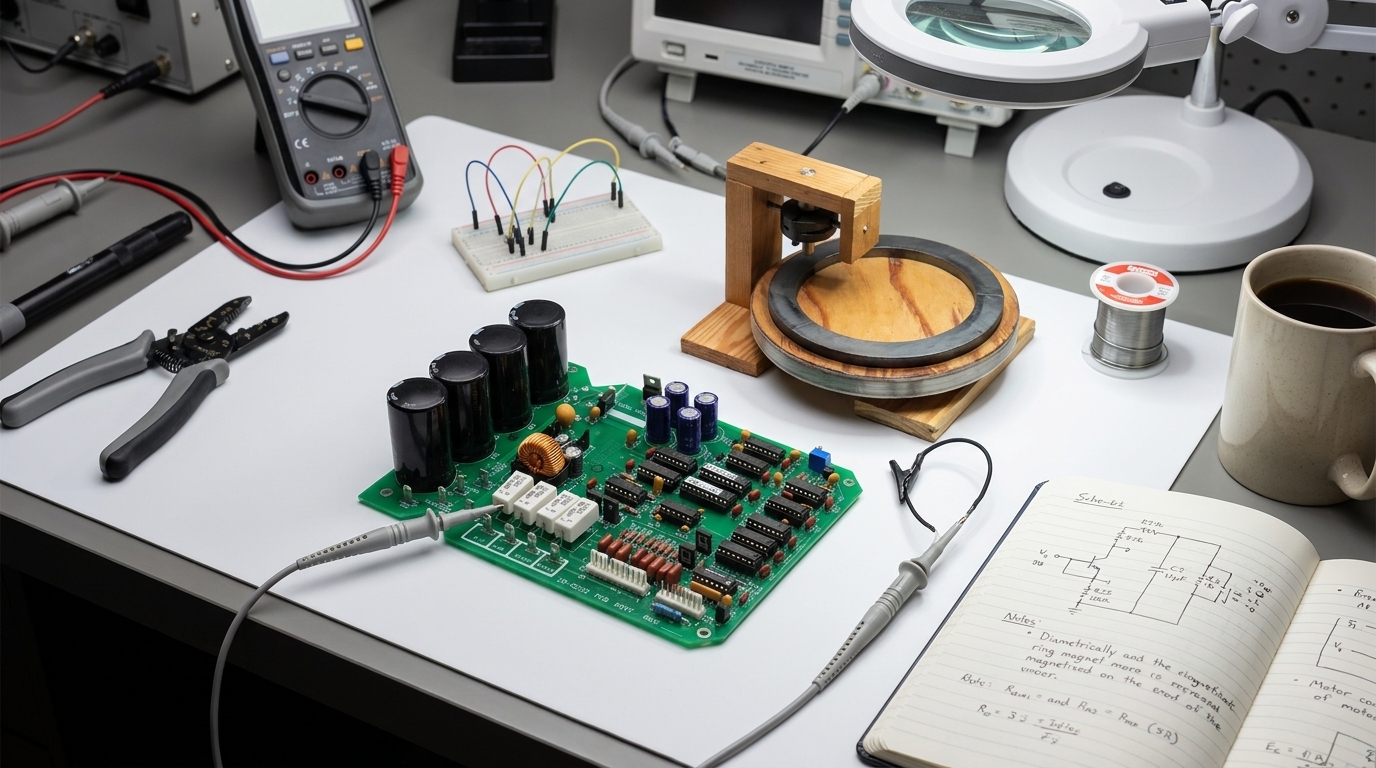 Magnetic Sensors for Position Detection: Hall Effect vs. AMR vs. TMR Engineering GuideUTMEL21 August 2026419
This guide compares Hall effect, AMR, and TMR magnetic sensors for position detection in motor control and robotics. It explains their physical principles, key performance metrics, and selection criteria. Hall effect suits low-cost commutation, AMR offers high-speed angle sensing, and TMR provides maximum precision and low power, with practical integration advice.
Read More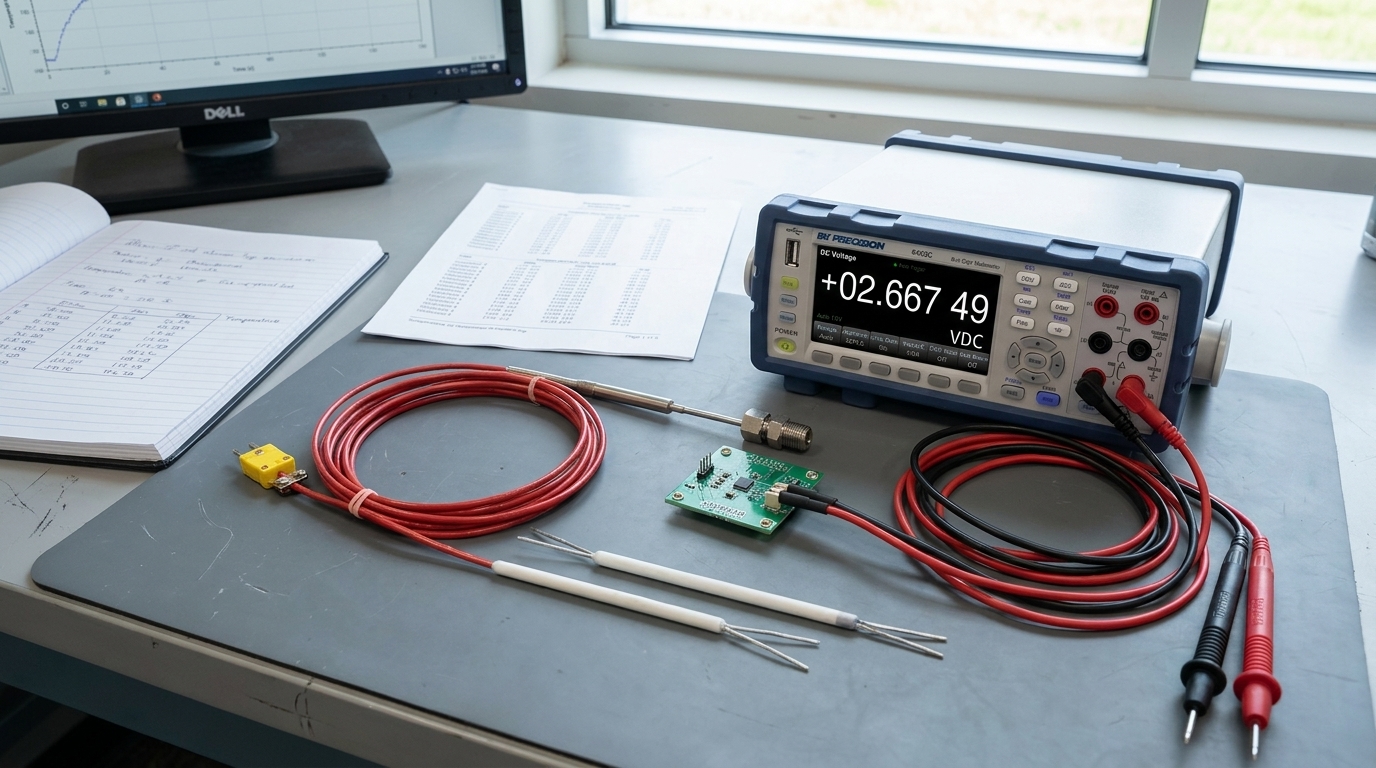 Temperature Sensor Types Comparison: Thermocouple, RTD, and Semiconductor IC Selection GuideUTMEL17 August 2026325
This comprehensive selection guide compares thermocouples, platinum RTDs, and semiconductor ICs across measurement range, accuracy limits, and signal conditioning complexity. It covers fundamental operating physics, mathematical transfer functions, lead-wire compensation topologies, and power budgets. Engineers will find practical design checklists, benchtop multimeter diagnostic techniques, and an architectural decision workflow to optimize system performance and bill-of-materials cost.
Read More
Subscribe to Utmel !
![35002]() 35002
35002Lapp
![EPM80LC650]() EPM80LC650
EPM80LC650Menda
![04640]() 04640
04640Schneider
![EK60WV031]() EK60WV031
EK60WV031Menda
![EBW608]() EBW608
EBW608Menda
![A 10 -32]() A 10 -32
A 10 -32Phoenix Contact
![A 10 -25]() A 10 -25
A 10 -25Phoenix Contact
![A1050]() A1050
A1050interlight
![ETM60CP302]() ETM60CP302
ETM60CP302Menda
![EPM75BS602]() EPM75BS602
EPM75BS602Menda